Google Workspace / Invitation-only beta

Weekstead looks for a room when a reservation is declined.

Room Booking checks availability against your eligible rooms, capacity needs, and preferences. The meeting's time, title, description, and human attendees stay unchanged.

Request access

Submit your work email. A request does not grant access.

Weekstead does not use your data for AI training.How Weekstead handles your data

Room Booking in Google Calendar

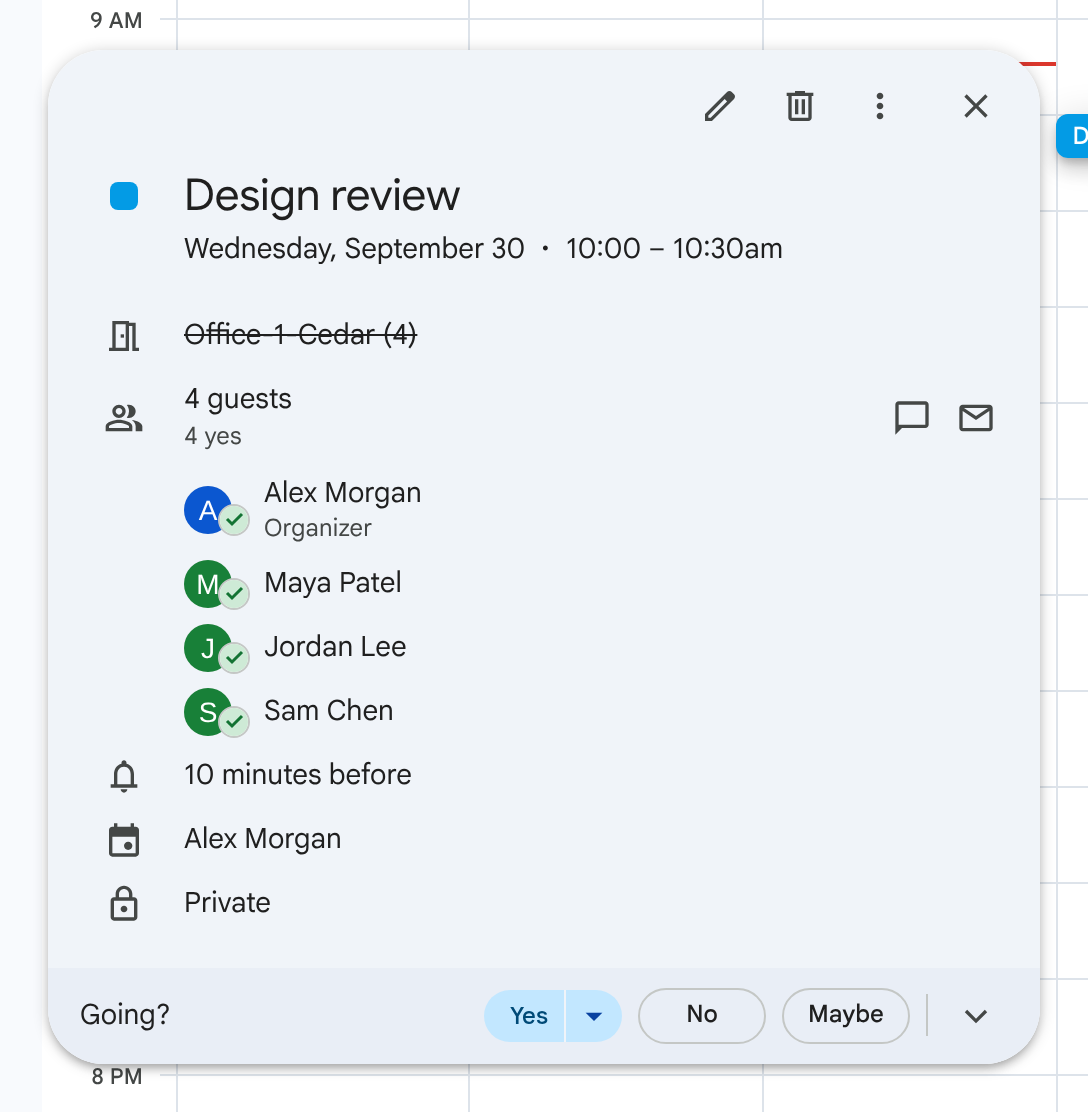
Before: room declined
Google Calendar example with four fictional attendees and Cedar shown declined.

Cedar has declined the meeting.

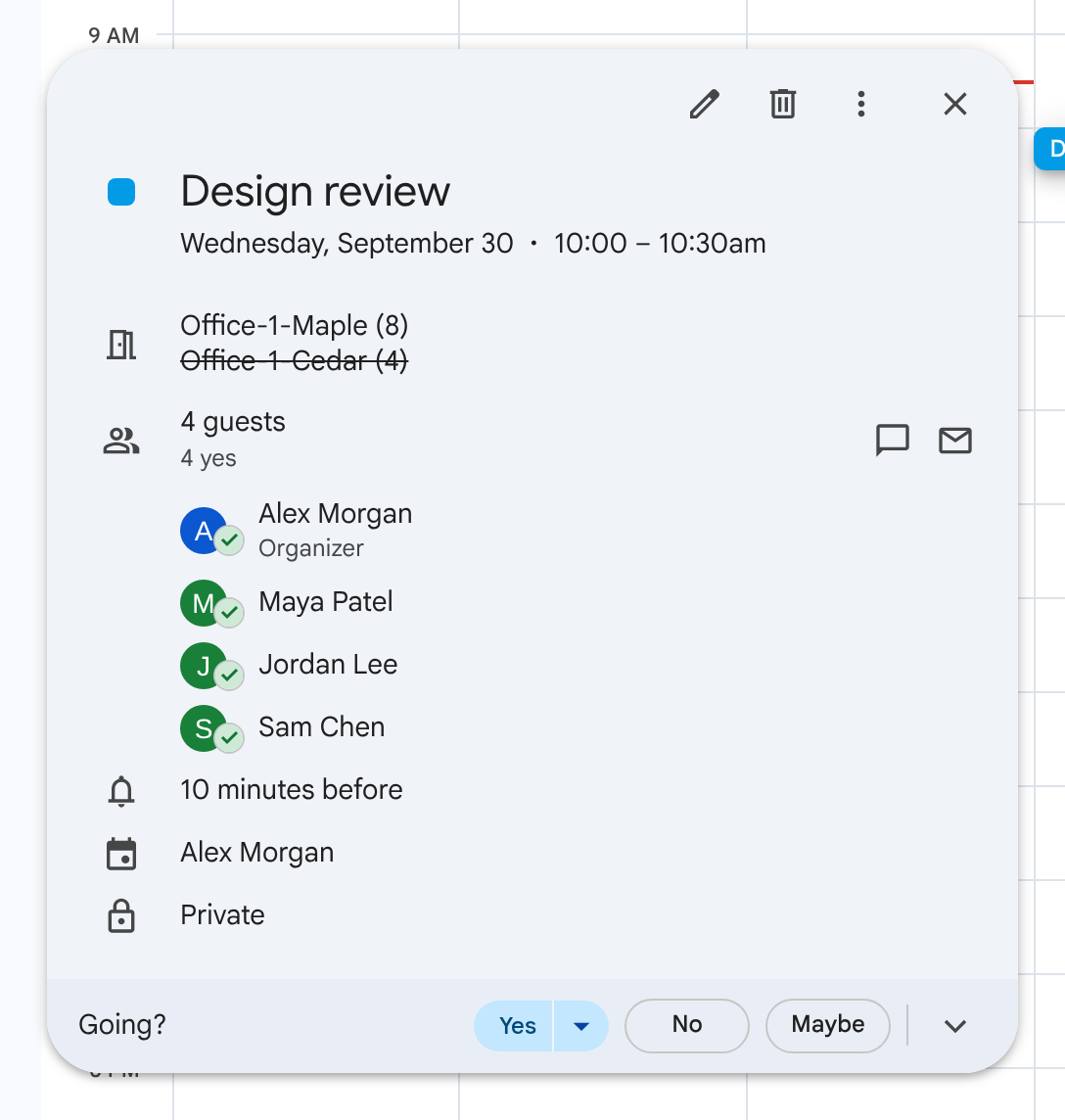
After: replacement accepted
Google Calendar example with four fictional attendees and Maple accepted alongside the still-declined Cedar room.

Maple is accepted while Cedar remains declined.

Illustrative example with fictional attendees.

You choose eligible rooms and preferences. A replacement depends on authorized room access and availability; a suitable room may not exist. Review Room Booking results in Activity, and pause Room Booking when you need to.

Read about Room Booking

Team OOO

Keep team availability visible.

Team OOO copies connected teammates' eligible out-of-office events to a shared calendar. Each person maintains their original events on their own calendar.

A scheduled Slack digest is optional and separate from the shared calendar. Viewing the shared calendar does not require a paid seat.

Team OOO does not manage leave balances, requests, entitlements, or approvals.

Read about Team OOO
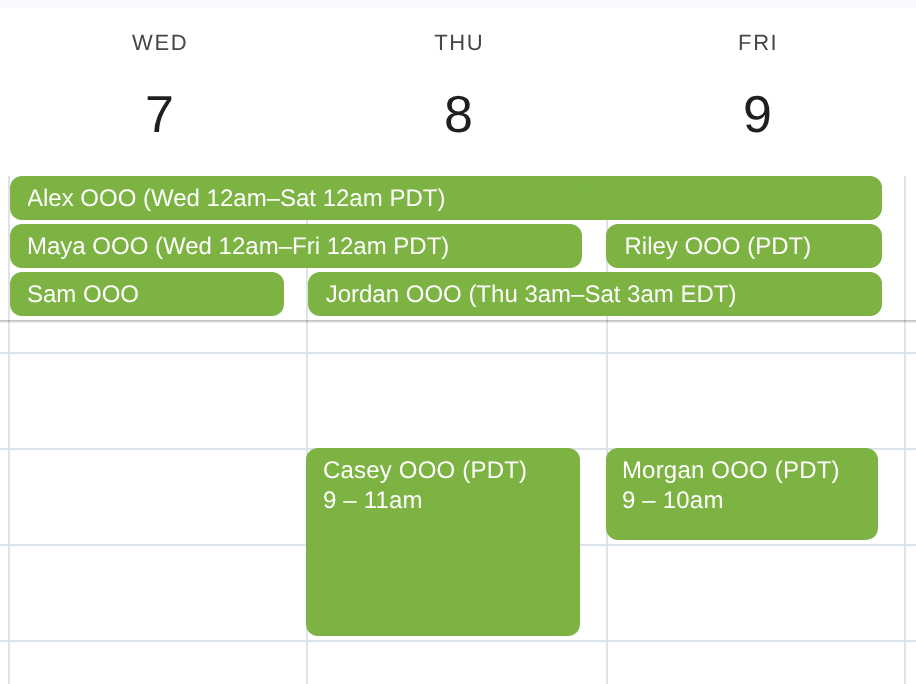
Google Calendar week view with overlapping multi-day OOO bars and two partial-day absences in the hourly grid, using illustrative names and time annotations.
Shared team calendar with overlapping time away, October 7–9, 2026.

Illustrative names and time annotations; Google Calendar layout and event times preserved.

Google Calendar is a trademark of Google LLC.

Focus Time

Focus Time can move meeting occurrences that organizers explicitly mark flexible. It respects the permitted dates, time windows, and participant constraints.

Use Just me or a participating group. All human participants must be eligible and authorize scheduling in that group. Meetings outside that authority stay fixed.

The personal Just me cycle can book native Focus Time events when booking is enabled. Booking is off by default. Otherwise, free stretches remain unbooked. A run may make no changes.

Slack Status

Slack Status can update your own profile status from selected Calendar signals and saved working hours. You connect your own Slack account and enable the sources you want.

Status text is generic. Meeting details are not copied into Slack. A manual status change takes priority. Automation may resume at the next status transition.

Slack Status is off by default. It changes profile status, not presence or notifications. The Focus Time status source uses native Focus Time events, not empty calendar gaps.

Room Booking, Team OOO, Focus Time, and Slack Status each have separate authorization and controls. Enabling one does not enable the others.

Read about data safety

All four features, in one plan.

Room Booking, Team OOO, Focus Time, and Slack Status are included. A paid user has a connected calendar and at least one enabled feature. Enabling more than one still counts as one paid user.

There is no minimum seat count. Rooms, attendees, shared-calendar viewers, digest recipients, and configuration-only administrators are not billed for those roles.

$7Per paid user / monthBilled monthly
$60Per paid user / year$5 per month, billed annually

The introductory rate lasts for 24 months from your first successful payment, subject to the pricing terms.

View pricing terms

Request access

Weekstead is in an invitation-only closed beta for Google Workspace teams. Submit your work email.

After approval, sign in with Google, authorize Google Calendar, and complete guided setup.

Your organization receives one 14-day trial with no card required. It starts when the first approved user authorizes Google Calendar. Requesting access or signing in does not start the trial. Additional users do not restart it.

Request access

Enter your work email to ask to join the closed beta.

We'll use your email only to contact you about closed-beta access. See our Privacy notice.

Submitting a request does not grant access or start your trial.