Connect members
Each member connects their own Google Calendar before their out-of-office events are synchronized.
Team OOO
Team OOO keeps connected members’ out-of-office events visible in one shared Google Calendar. Their original events stay on their own calendars.
Request accessA shared view
The shared calendar shows eligible out-of-office events from connected members.
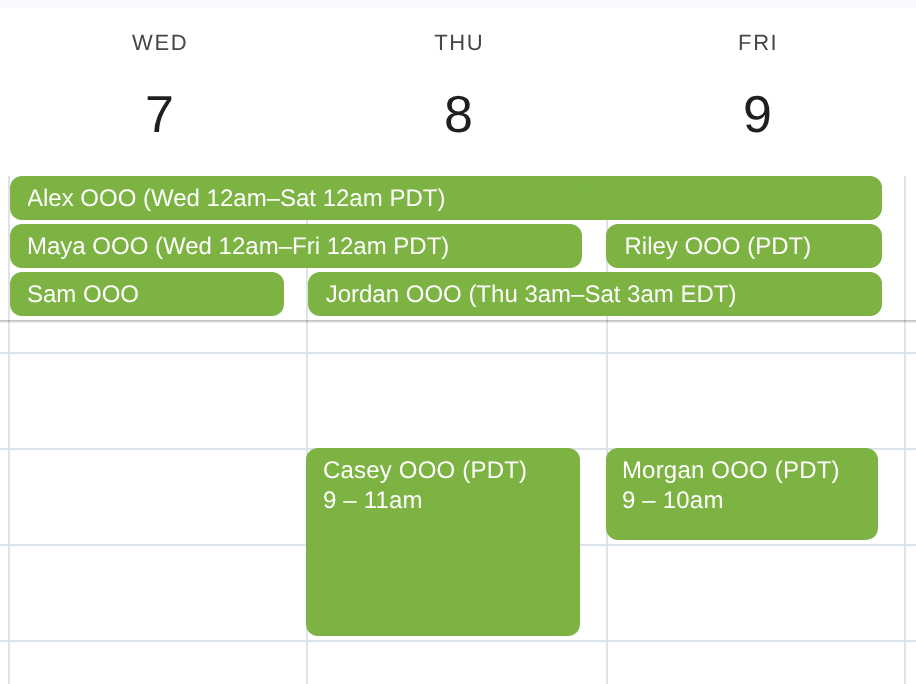
Illustrative names and time annotations; Google Calendar layout and event times preserved.
Google Calendar is a trademark of Google LLC.
Each member connects their own Google Calendar before their out-of-office events are synchronized.
Teams select the calendar that should hold the availability view for connected members.
Weekstead maintains the shared-calendar copies as connected members create or update their out-of-office events.
Optional notification
Optionally send a scheduled Slack digest to a destination configured by your team.
Your team configures and owns the Slack destination. Slack is not required.
Weekstead does not manage leave balances, requests, entitlements, or approvals.
Connected people whose events are synchronized count as paid users. Viewing the calendar or receiving a digest does not.
Calendar access and shared-calendar visibility are separate. Review settings and automation results in Weekstead.
Read about data safety$5 per paid user per month, billed as $60 per paid user/year, or $7 monthly. There is no minimum seat count.
Room Booking, Team OOO, Focus Time, and Slack Status are included. A paid user has a connected calendar and at least one enabled feature. Shared-calendar viewers and digest recipients are not billed for those roles.
View pricing and termsRequest access
Weekstead is in an invitation-only closed beta for Google Workspace teams. Submit your work email.
After approval, sign in with Google, authorize Google Calendar, and complete guided setup. Your organization receives one 14-day no-card trial when the first approved user grants Calendar authorization.
Enter your work email to ask to join Weekstead.
We’ll use your email only to contact you about closed-beta access. See our Privacy notice.
Requests are reviewed in small groups.