Room Booking
Automatically find and keep the right room.
Room Booking finds a suitable room for your meeting, applies your preferences, and looks for a replacement when a room declines. The meeting's time, title, description, and human attendees stay unchanged.
Google Workspace · Invitation-only beta
From a meeting to a suitable room.
Choose your rooms
Select the rooms Weekstead can use and set your location, capacity, and room preferences.
Find a suitable match
Room Booking checks eligible rooms against the meeting and the preferences you set, then adds a suitable room to the Google Calendar event.
Find a replacement if the room declines
If a room declines, Weekstead looks for another suitable room. Availability and authorized access still apply.
The meeting stays. The room changes.
A before-and-after example in Google Calendar.
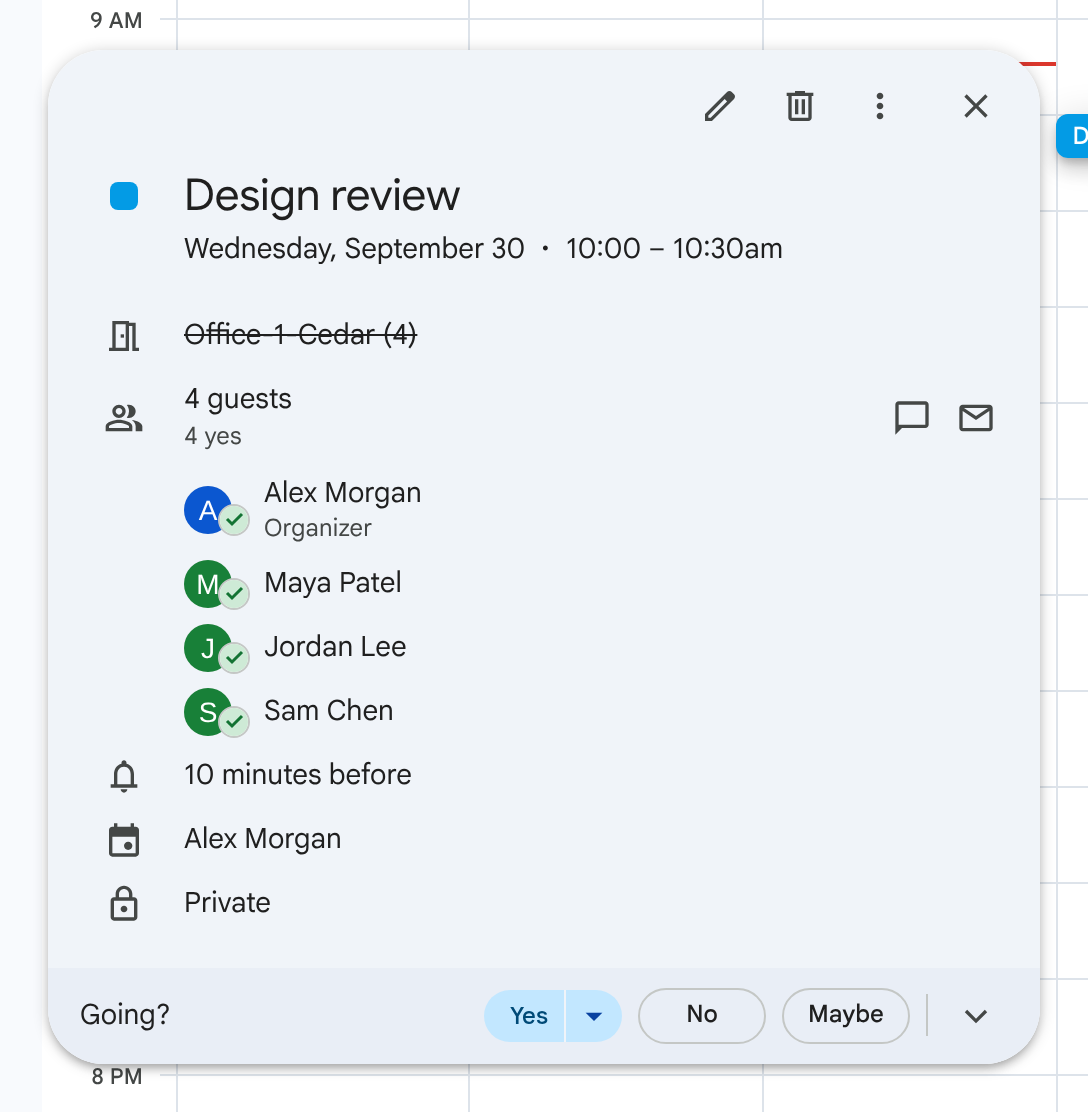
Cedar has declined the meeting.
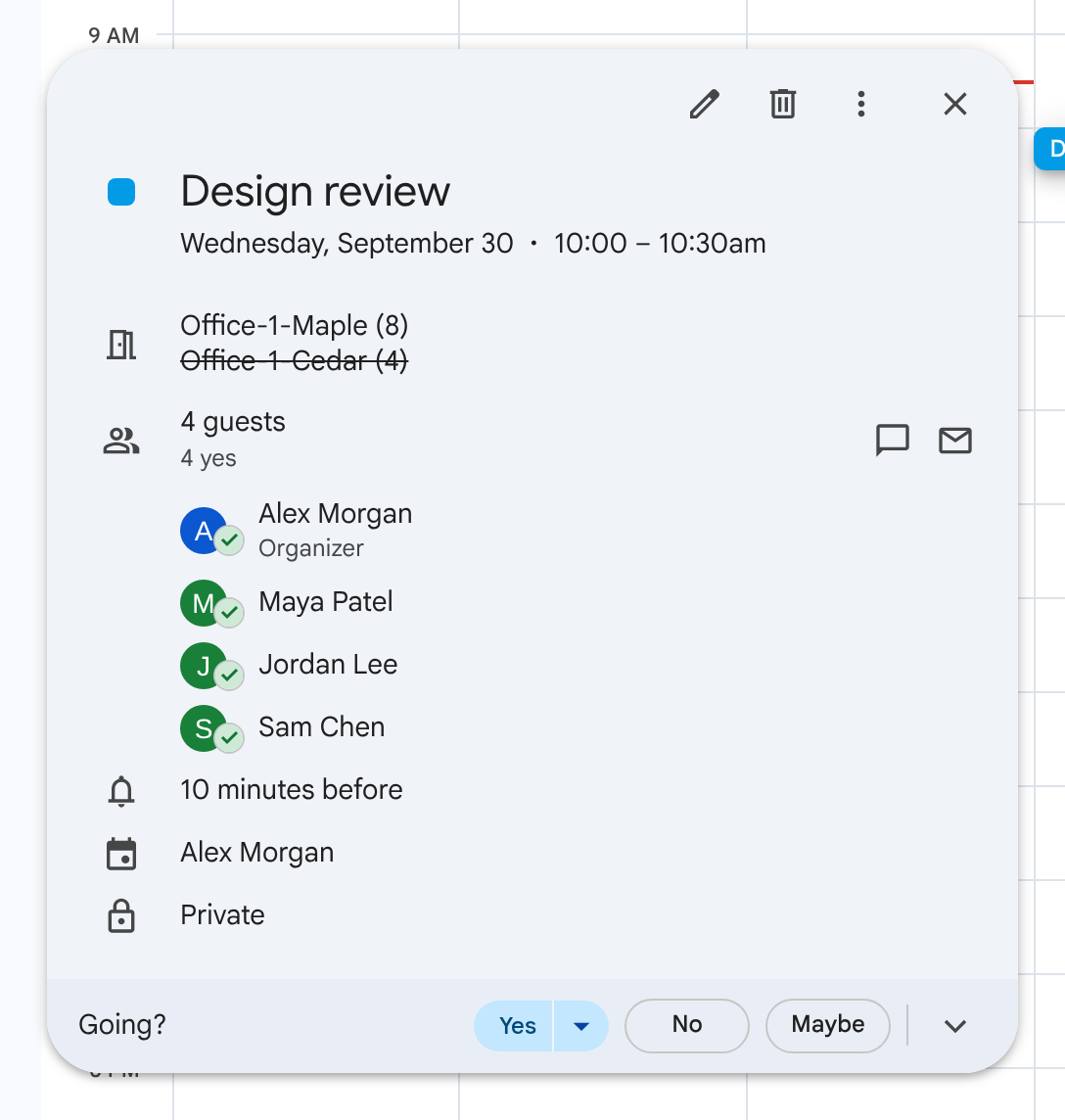
Maple is accepted while Cedar remains declined.
Illustrative example with fictional attendees.
Your controls
Set the boundaries.
Eligible rooms and preferences
Use working location, building, floor, and capacity to keep meetings nearby. Rank preferred rooms and exclude rooms Weekstead should never book. A replacement depends on authorized room access and availability; a suitable room may not exist.
Visible activity
See which room Weekstead chose, why it chose it, and what happened next.
Pause when you need to
Pause booking without disconnecting your calendar or losing saved preferences.
All four features, in one plan.
$5 per paid user per month billed annually at $60, or $7 monthly.
Room Booking, Team OOO, Focus Time, and Slack Status are included. Rooms and attendees are not billed. There is no minimum seat count.
Keep your introductory rate for 24 months, subject to the pricing terms.
View pricing and termsRequest access
Weekstead is in an invitation-only closed beta for Google Workspace teams. Submit your work email.
After approval, sign in with Google, authorize Google Calendar, and complete guided setup.
Your organization receives one 14-day trial with no card required. It starts when the first approved user authorizes Google Calendar. Requesting access or signing in does not start the trial. Additional users do not restart it.
Request access
Enter your work email to ask to join the closed beta.
We'll use your email only to contact you about closed-beta access. See our Privacy notice.
Submitting a request does not grant access or start your trial.